Deployment Scope
Before you deploy, decide how the agent maps endpoints to organizations. There are two modes. The install properties differ between them. For the full property table, see Download and verify.
Single-org (internal IT)
All agents register directly under the token's organization.
- Pass
USEPARENTORG=1to register under the token's organization and opt out of sub-org creation. CLIENTNAMEis rejected in this mode (a server-side safety gate).
Use single-org when all endpoints belong to one organization, for example your own internal IT.
Client-orgs (MSP, multi-tenant)
Each endpoint auto-creates or links a child organization under the token's organization, keyed by your client identifiers. You do not pre-create client organizations by hand.
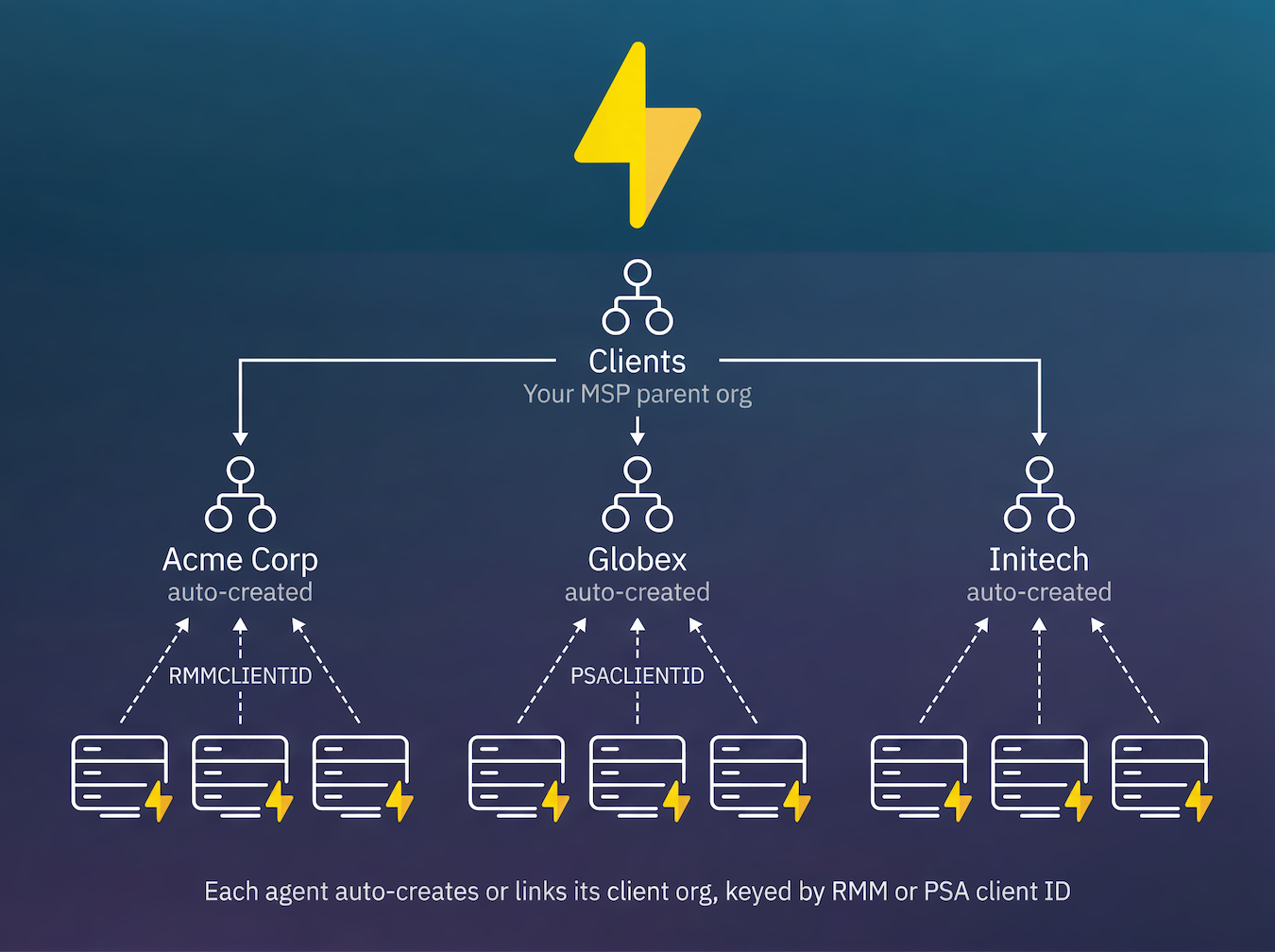
- Pass
RMMCLIENTIDand/orPSACLIENTIDas the linking keys. The agent creates or links the matching child organization. - Use a distinct identifier per client so each client gets its own organization.
Client name is a label, not a link key
The client name is a display label only, never a linking key.
- It is auto-detected per endpoint: AD domain when domain-joined, otherwise the RMM ID, then the PSA ID. It is never a placeholder.
- Override the detected label with
CLIENTNAME(quote values that contain spaces). - Use a distinct value per client. Never set one constant name across a whole fleet, and never use
CLIENTNAMEas a way to group agents (use the RMM or PSA IDs for that).
Changing RMM or PSA platforms
If you migrate to a different RMM or PSA platform, pause agent rollouts, update the RMM and PSA
client IDs stored on your existing client organizations to the new platform's identifiers, then
resume deployment with the new RMMCLIENTID/PSACLIENTID values. This keeps new installations
landing in the existing client organizations instead of creating duplicates.
Already-enrolled devices are unaffected by the change: they keep their identity and organization,
and only new installs use the new identifiers.