Give a Client IT Administrator Access
In co-managed IT, a client's own IT administrator works beside your technicians. This example shows how to invite that person as Organization Administrator at the client's organization. The role covers that organization and everything below it, and nothing else: the person can see the client's data, manage its agents, and invite and manage their own colleagues there.
To give your own technicians access to a set of clients through a group, see Give a technician access to some clients.
What the token needs
| Give a workspace token | With the scopes |
|---|---|
| Organization Administrator at the organization that holds your clients | events:query, events:read, devices:read, fleet:write, admin:write, admin:delegate |
A token can give a role only when the token's own role holds every privilege of that role, and the token's scopes cover them too.
Organization Administrator reads data, manages agents and manages access, so the token needs the scope for each.
The role also manages other people's API tokens and app registrations, and giving a role like that takes admin:delegate.
A token with admin:delegate can give such a role, and can change another workspace token's access. It cannot change its own. It cannot create, read, rename or revoke an API token or an app registration: those actions take a person signed in to the app.
This is the app's New API token dialog filled in for this token.
Grant access that allows others to manage credentials is admin:delegate. The app asks you to confirm when you create the token.
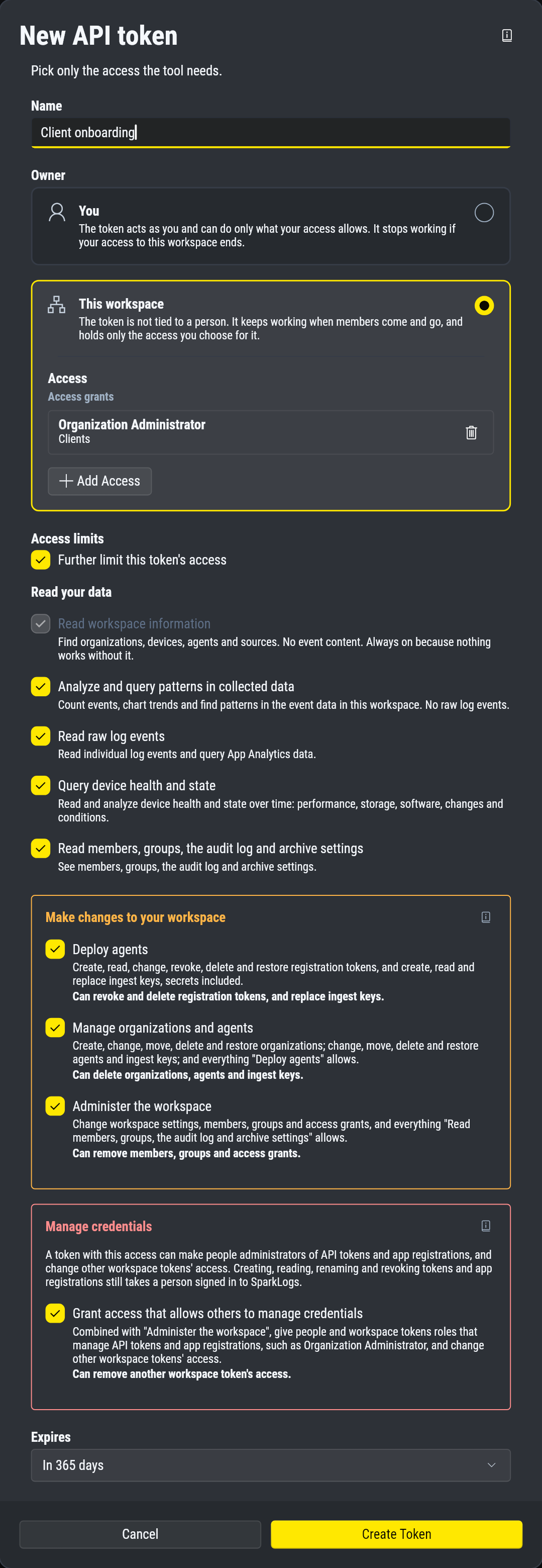
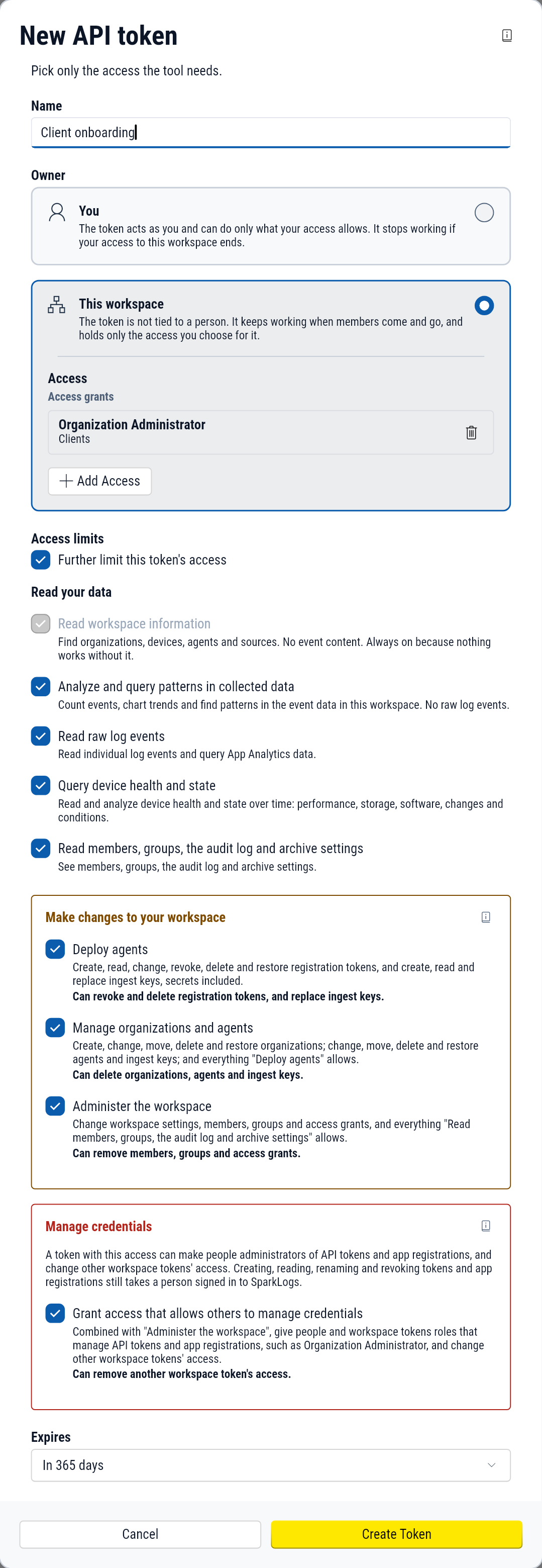
This token can administer every client below its organization. Store it as you would an administrator's password.
Steps
1. See whether the person is already known
/workspaces/{workspace_id}/members Scope: any of admin:readadmin:write
Filter by email.
- curl
- PowerShell
- Python
curl -X GET \ "https://engine.sparklogs.app/app-api/workspaces/5e1f0a00-0000-4000-8000-000000000001/members?email=jordan.lee%40example.com" \ -H "Authorization: Bearer $SPARKLOGS_TOKEN"Invoke-RestMethod -Method Get ` -Uri "https://engine.sparklogs.app/app-api/workspaces/5e1f0a00-0000-4000-8000-000000000001/members?email=jordan.lee%40example.com" ` -Headers @{ Authorization = "Bearer $env:SPARKLOGS_TOKEN" }import os import requests response = requests.get( "https://engine.sparklogs.app/app-api/workspaces/5e1f0a00-0000-4000-8000-000000000001/members" , headers={"Authorization": f"Bearer {os.environ['SPARKLOGS_TOKEN']}"}, params={ "email": "jordan.lee@example.com", },)response.raise_for_status(){ "message": "members retrieved", "members": [], "next_cursor": null}/workspaces/{workspace_id}/invitations Scope: any of admin:readadmin:write
Filter by email.
- curl
- PowerShell
- Python
curl -X GET \ "https://engine.sparklogs.app/app-api/workspaces/5e1f0a00-0000-4000-8000-000000000001/invitations?email=jordan.lee%40example.com" \ -H "Authorization: Bearer $SPARKLOGS_TOKEN"Invoke-RestMethod -Method Get ` -Uri "https://engine.sparklogs.app/app-api/workspaces/5e1f0a00-0000-4000-8000-000000000001/invitations?email=jordan.lee%40example.com" ` -Headers @{ Authorization = "Bearer $env:SPARKLOGS_TOKEN" }import os import requests response = requests.get( "https://engine.sparklogs.app/app-api/workspaces/5e1f0a00-0000-4000-8000-000000000001/invitations" , headers={"Authorization": f"Bearer {os.environ['SPARKLOGS_TOKEN']}"}, params={ "email": "jordan.lee@example.com", },)response.raise_for_status(){ "message": "invitations retrieved", "invitations": [], "next_cursor": null}An empty list from both means the person is new: go on to step 2.
A member already has access of some kind: review it before adding more.
A pending invitation can be sent again in step 3 with its id.
2. Create the invitation
/workspaces/{workspace_id}/invitations Scope: admin:write
This example's token carries: workspace:readevents:queryevents:readdevices:readfleet:writeadmin:writeadmin:delegate
- curl
- PowerShell
- Python
curl -X POST \ "https://engine.sparklogs.app/app-api/workspaces/5e1f0a00-0000-4000-8000-000000000001/invitations" \ -H "Authorization: Bearer $SPARKLOGS_TOKEN" \ -H "Content-Type: application/json" \ -d '{ "email": "jordan.lee@example.com", "grants": [ { "role_id": "organization_admin", "scope": { "kind": "selected", "org_ids": [ "0a9e0000-0000-4000-8000-000000000101" ] } } ], "invitation_id": "1a7e0000-0000-4000-8000-000000000602" }'$body = @{ email = "jordan.lee@example.com" grants = @( @{ role_id = "organization_admin" scope = @{ kind = "selected" org_ids = @( "0a9e0000-0000-4000-8000-000000000101" ) } } ) invitation_id = "1a7e0000-0000-4000-8000-000000000602"}Invoke-RestMethod -Method Post ` -Uri "https://engine.sparklogs.app/app-api/workspaces/5e1f0a00-0000-4000-8000-000000000001/invitations" ` -Headers @{ Authorization = "Bearer $env:SPARKLOGS_TOKEN" } ` -ContentType "application/json; charset=utf-8" ` -Body ($body | ConvertTo-Json -Depth 10)import os import requests response = requests.post( "https://engine.sparklogs.app/app-api/workspaces/5e1f0a00-0000-4000-8000-000000000001/invitations" , headers={"Authorization": f"Bearer {os.environ['SPARKLOGS_TOKEN']}"}, json={ "email": "jordan.lee@example.com", "grants": [ { "role_id": "organization_admin", "scope": { "kind": "selected", "org_ids": [ "0a9e0000-0000-4000-8000-000000000101", ], }, }, ], "invitation_id": "1a7e0000-0000-4000-8000-000000000602", },)response.raise_for_status(){ "message": "invitation saved", "id": "1a7e0000-0000-4000-8000-000000000602"}The invitation carries one grant: the Organization Administrator role at the client's organization.
Choose the invitation_id yourself and keep it.
Sending the same id again saves the same invitation, which makes a retry safe.
3. Send it
/workspaces/{workspace_id}/invitations/{id}/send Scope: admin:write
This example's token carries: workspace:readevents:queryevents:readdevices:readfleet:writeadmin:writeadmin:delegate
- curl
- PowerShell
- Python
curl -X POST \ "https://engine.sparklogs.app/app-api/workspaces/5e1f0a00-0000-4000-8000-000000000001/invitations/1a7e0000-0000-4000-8000-000000000602/send" \ -H "Authorization: Bearer $SPARKLOGS_TOKEN"Invoke-RestMethod -Method Post ` -Uri "https://engine.sparklogs.app/app-api/workspaces/5e1f0a00-0000-4000-8000-000000000001/invitations/1a7e0000-0000-4000-8000-000000000602/send" ` -Headers @{ Authorization = "Bearer $env:SPARKLOGS_TOKEN" }import os import requests response = requests.post( "https://engine.sparklogs.app/app-api/workspaces/5e1f0a00-0000-4000-8000-000000000001/invitations/1a7e0000-0000-4000-8000-000000000602/send" , headers={"Authorization": f"Bearer {os.environ['SPARKLOGS_TOKEN']}"},)response.raise_for_status(){ "message": "sent invitation"}The person follows the link in the email and accepts in the app. Accepting can only be done there.
4. Confirm they accepted
/workspaces/{workspace_id}/members Scope: any of admin:readadmin:write
Filter by email, and poll until the person is listed.
- curl
- PowerShell
- Python
curl -X GET \ "https://engine.sparklogs.app/app-api/workspaces/5e1f0a00-0000-4000-8000-000000000001/members?email=jordan.lee%40example.com" \ -H "Authorization: Bearer $SPARKLOGS_TOKEN"Invoke-RestMethod -Method Get ` -Uri "https://engine.sparklogs.app/app-api/workspaces/5e1f0a00-0000-4000-8000-000000000001/members?email=jordan.lee%40example.com" ` -Headers @{ Authorization = "Bearer $env:SPARKLOGS_TOKEN" }import os import requests response = requests.get( "https://engine.sparklogs.app/app-api/workspaces/5e1f0a00-0000-4000-8000-000000000001/members" , headers={"Authorization": f"Bearer {os.environ['SPARKLOGS_TOKEN']}"}, params={ "email": "jordan.lee@example.com", },)response.raise_for_status(){ "message": "members retrieved", "members": [ { "user_id": "JordanLeeExampleUserId000004", "email": "jordan.lee@example.com", "full_name": "Jordan Lee", "display_name": "Jordan", "is_self": false, "created_at": "2026-11-09T11:00:00Z", "deleted_at": null, "grants": [ { "id": "6a170000-0000-4000-8000-000000000507", "role_id": "organization_admin", "scope": { "kind": "selected", "org_ids": [ "0a9e0000-0000-4000-8000-000000000101" ], "inherited": false, "other_orgs": false } } ], "other_grants": false, "groups": [] } ], "next_cursor": null}Poll every five minutes. Decide how long to wait for the person to accept, a day or two for example, and then stop. Once listed, the person holds the one grant.
If a step fails
| Step | Response | Cause and fix |
|---|---|---|
| 2 | 403 with cause token_scope | The token lacks a scope the role needs. required_scope names it. |
| 2 | 403 APP_API_ERR_BEYOND_OWN_AUTHORITY | The client's organization is outside the token's own access. |
| 2 | 409 APP_API_ERR_INVITATION_EMAIL_TAKEN | The email belongs to a member, or has a pending invitation under a different invitation_id. |
| 3 | 429 with cause send_limit | Over the sending limit. Wait the seconds in Retry-After. |
Take the access away
Remove the member when the person should lose all access, or delete the grant to keep them as a member without it. Offboard a technician walks through a removal.
What the API does not do
- An invitation cannot place the person in a group. Give a technician access to some clients shows the group way.
- No API token can accept an invitation.