Fleet Health
Fleet in the sidebar opens Fleet Health, a list of every device with the ones that need attention first.

Each row shows the device's worst open condition, how many conditions are open, its last telemetry and its collection status. Click a row to open the device's timeline at its latest data.
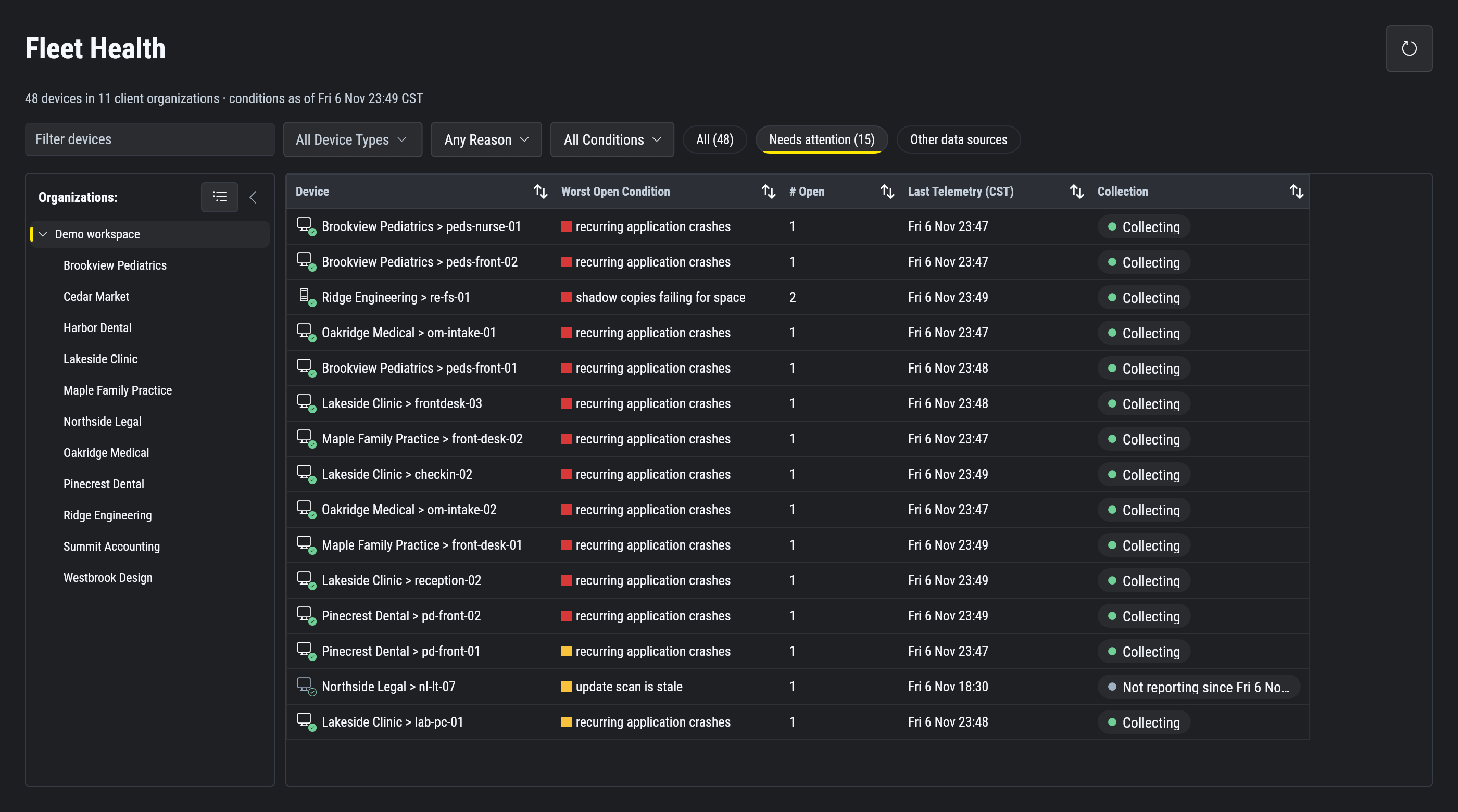
What "needs attention" means
A device needs attention when either is true:
- It has an open condition at Warning or above.
- Its agent or its collection has a problem, such as an agent upgrade that is overdue.
A device that is still onboarding, or whose collection status is not known yet, is not flagged for that alone.
Devices rank by their worst condition, so one serious condition outranks ten minor ones. A condition that is clearing up does not flag a device or count toward its rank. It still counts as open, and the row shows it, as in "3 open (1 clearing)".
Filters
Narrow the list by organization (for most MSPs, a client), servers or workstations, reason and minimum severity. Other data sources adds the sources that send logs with an ingest key.
The same problem on other devices
On the device timeline, each condition shows how many other devices in its organization had it in the same time window. To look for the same failure across clients, ask your AI. See Fleet-wide questions.
To tell whether a quiet device is off, offline or behind, see Collection health.