Get Your Data In
There are two ways to get data into SparkLogs. Pick the one that fits how you run your systems.
The fastest start is the Workspace Setup Wizard, which creates your organizations and the credentials you need, so you can start sending data right away.
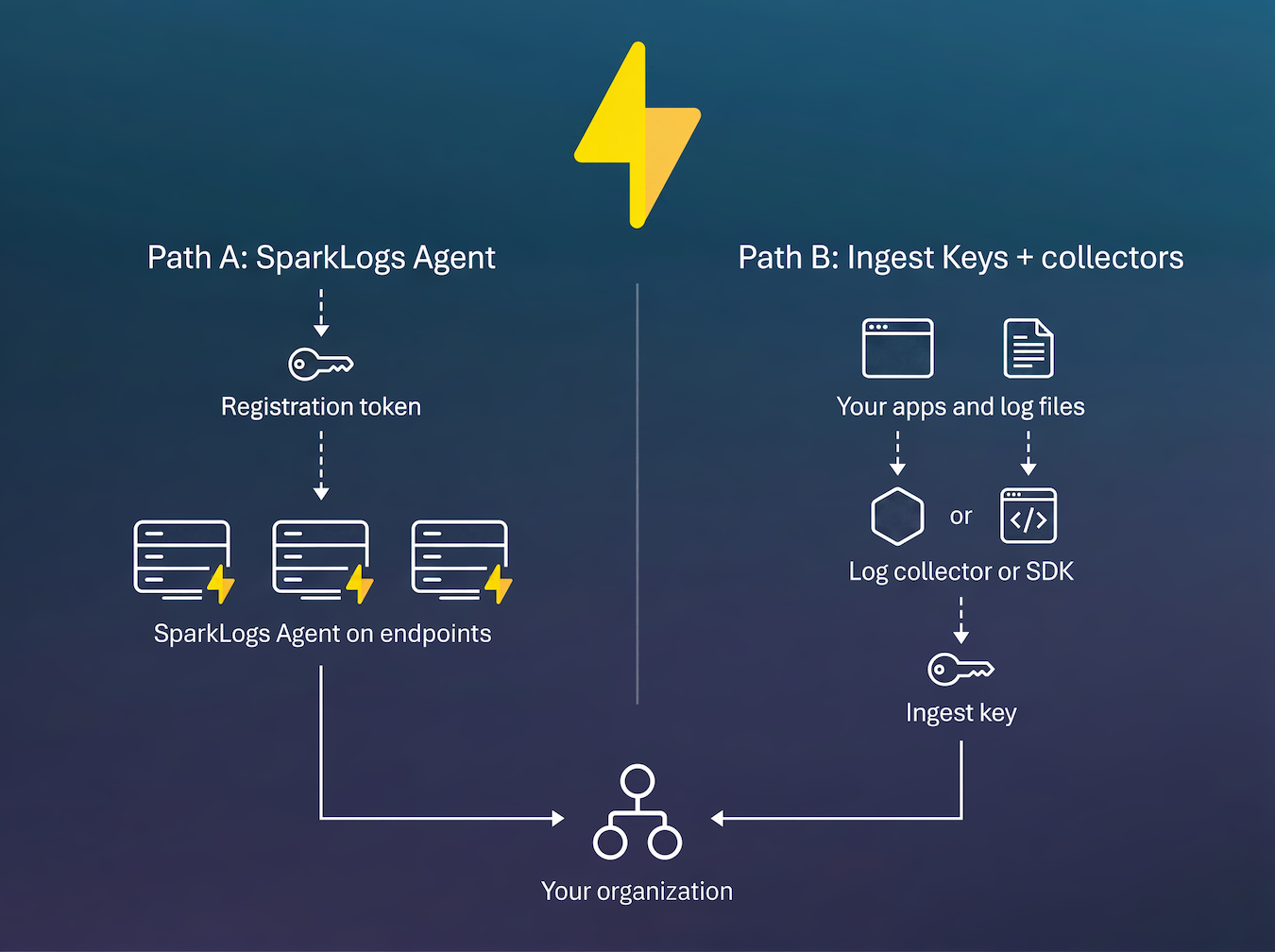
Path A: SparkLogs Agent
The SparkLogs Agent is a first-party, signed, self-updating endpoint agent. SparkLogs deploys and updates it for you. Install it with a registration token, and roll it out across a fleet from your RMM or PSA.
Use this path when you manage the endpoints (servers, workstations) and want the SparkLogs Agent, which SparkLogs keeps current. MSPs can key each endpoint to a client and auto-create per-client organizations.
Path B: Ingest keys with log collectors and SDKs
Use an Ingest Key when you already run a log collector (OpenTelemetry, Vector, Fluent Bit, Logstash, Beats, Grafana Alloy) or ship logs via an SDK or API. An Ingest Key is an authenticated endpoint that sends data into one organization.
Browse the supported sources and protocols:
- Data Sources for operating systems, syslog, languages, and more.
- Tools and APIs for collectors, the HTTPS+JSON API, Elasticsearch bulk, and Loki push.
Confirm data is flowing
Whichever path you choose, open Explore to confirm that data is arriving as you expect. Then use IT Fleet Intelligence: ask a simple question in your AI tool, or run a full investigation when a ticket is hard.